
Files: enterprise trade data at scale
Bulk trade data, ready for your infrastructure.
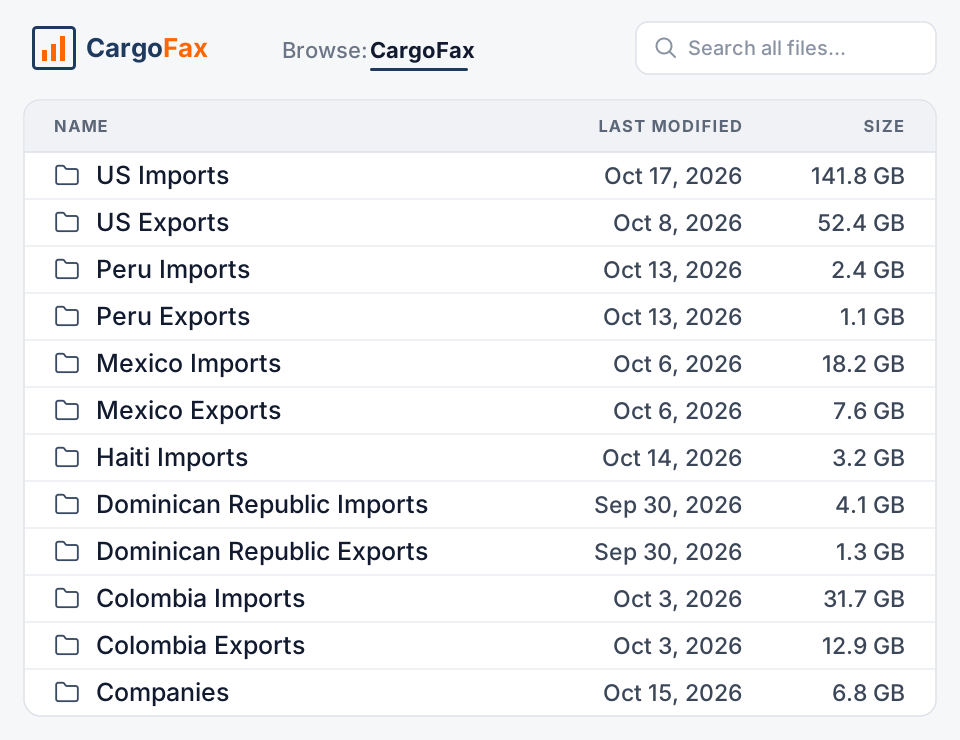
CargoFax Files gives bulk access to CargoFax customs trade data for teams that work in their own systems and workflows. Files covers 8 markets and 14 datasets, in CSV, Excel, JSON, or Parquet. Customers receive the files by FTP, the main delivery method, browse and download them in the Files web interface, or pull them through the API, starting with the historical archive and then new records on each market's update schedule. Data, analytics, and AI teams load the records into their own databases, models, and applications.
Choose the workflow that fits your team: receive files by FTP, download them from the web interface, or connect your databases, analytics pipelines, AI and LLM workflows, and internal systems through the API.
Last updated:
- Markets covered
- 8
- Access
- FTP · Web · API
- File formats
- 4
- Datasets
- 14
Who uses Files
Who is Files for?
- Enterprise data and analytics teams loading trade data into a data warehouse, BI tool, or risk model.
- AI and LLM teams supplying trade records to internal models, retrieval systems, and AI-powered applications. To connect the records to AI assistants directly, see CargoFax MCP.
- Companies enriching CRM and ERP systems with trade activity, through integrations their own teams build.
- Platforms embedding customs data in their own product: CRMs, trade finance, insurance, freight, and analytics tools. See data partnerships.
- Universities and research teams working with the data in their own environment under a departmental license. See academic research.
Delivery
How does Files delivery work?
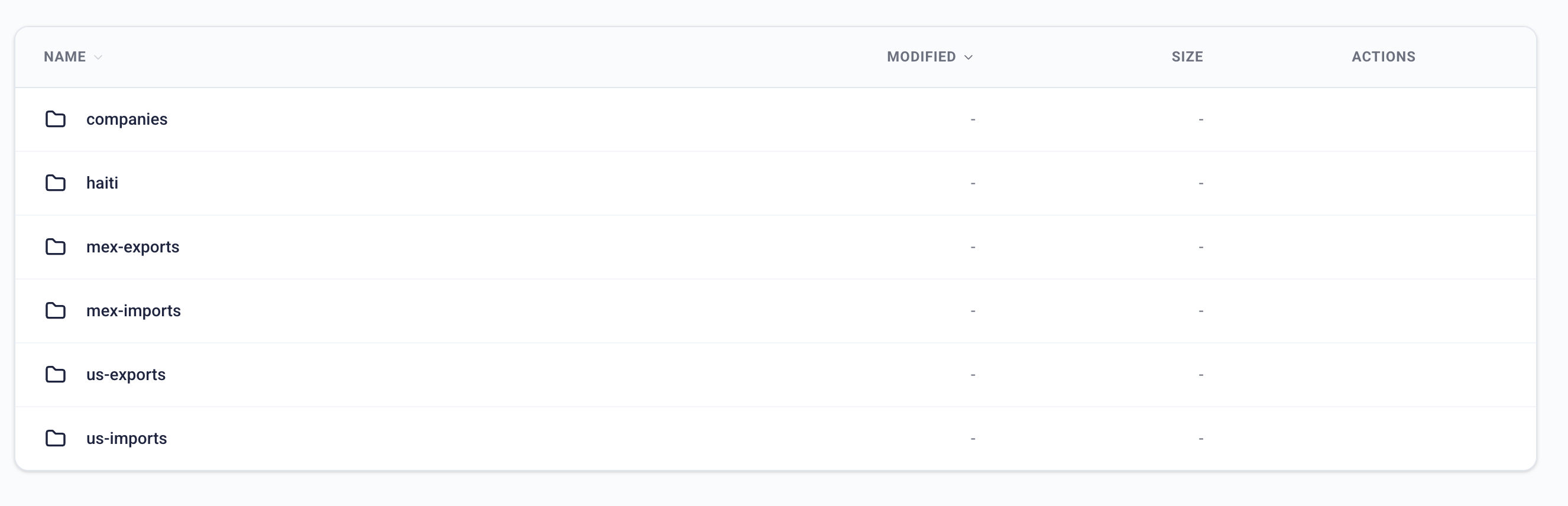
CargoFax Files customers access the data in three ways: FTP, the main delivery method; the Files web interface, where they browse and download the files; and the API, which feeds their own systems. Each team chooses the workflow that fits its needs.
| Files | |
|---|---|
| Delivery | FTP (the main delivery method), the web interface (browse and download files), the API, or any combination |
| Formats | CSV, Excel, JSON, Parquet |
| First delivery | The complete historical archive for each licensed market, organized by market, year, and month |
| Updates | Incremental files on each market's schedule: daily for US imports, weekly for Peru, monthly for US exports, Mexico, Colombia, and the Dominican Republic |
| Files | Daily and monthly files, plus a monthly rollup per market |
| Documentation | Schema documentation and a field guide for every dataset |
Earlier records can often be sourced case by case.
In practice
Three ways teams use Files
Load US bills of lading into a data warehouse every day
An analytics team receives the US import archive from January 2022 in Parquet by FTP, then picks up a daily incremental file by FTP or through the API. Their models join shipment records to internal customer data without a manual export.
Embed Latin American data in a trade finance platform
A platform that scores importers' credit pulls Mexico and Dominican Republic records through the API each month, with declared values and weights, and shows each client's trade history inside its own product.
Give a research team 25 years of Colombia data
A university department receives Colombia records back to 2001 in CSV on signature, then monthly increments, under a departmental research license that covers every researcher and student in the department.
Custom enrichment
Can CargoFax tailor the data to your workflow?
Yes. CargoFax can customize data enrichment in Files to your requirements. Requests are reviewed with the CargoFax team, and the enrichments you agree on carry into every future delivery.
- Expanded HS codes: separated or expanded into additional fields, such as chapter and heading, where the dataset supports it.
- Custom columns: new columns built from criteria your team defines.
- Future deliveries: agreed enrichments applied to every incremental file, not only the first archive.
- Tailored datasets: datasets shaped to a specific workflow, system, or model.
Included
What is included in Files?
- FTP delivery, the main method, plus web interface and API access
- CSV, Excel, JSON, or Parquet
- The historical archive on signature, then incremental files
- Schema documentation and a field guide for every dataset
- The same records and fields as in Atlas
- Departmental research licenses for universities
Coverage
Which markets are delivered through Files?
Files covers all 8 CargoFax markets:
Haiti bulk files are available on request; contact sales.
Scope your Files delivery
Tell us the markets, history, format, and delivery you need, and we will walk through the datasets and fields on a call.
FAQ
Files: frequently asked questions
What is CargoFax Files?
CargoFax Files gives bulk access to CargoFax customs trade data for teams that use their own systems and workflows. Customers receive the files by FTP, the main delivery method, browse and download them in the Files web interface, or pull them through an API, in CSV, Excel, JSON, or Parquet.
Which markets are available through Files?
CargoFax Files covers all 8 CargoFax markets: the United States, Mexico, the Dominican Republic, Colombia, Peru, Uruguay, Argentina, and Haiti. Haiti bulk files are available on request; contact sales.
What formats does Files deliver?
CargoFax Files delivers CSV, Excel, JSON, and Parquet by FTP, the main delivery method, through the Files web interface, or through the API.
How often are files updated?
On each market's schedule: daily for US imports, weekly for Peru, and monthly for US exports, Mexico, Colombia, the Dominican Republic, Uruguay, and Argentina.
Do I get historical data?
Yes. Files delivers the historical archive for each licensed market first, then incremental files. History starts in January 2001 for Colombia, January 2020 for US exports, January 2022 for US imports, January 2023 for Mexico, January 2024 for the Dominican Republic, and January 2026 for Peru. Earlier records can often be sourced case by case.
Can CargoFax customize the data enrichment in Files?
Yes. CargoFax can customize data enrichment for Files customers, for example by separating HS codes into additional fields where the dataset supports it, adding custom columns based on criteria the customer defines, or tailoring a dataset to a specific workflow. Agreed enrichments apply to future deliveries, and every request is reviewed with the CargoFax team before it is confirmed.
Can I see the data before signing?
Yes. Book a call and CargoFax walks through the datasets and fields for your markets before any agreement.
Can I embed CargoFax data in my own product?
Yes, under a data partnership agreement. See the partners page for platforms that build CargoFax data into their software.
How much does Files cost?
Files is priced per agreement. Book a call and CargoFax will send terms.
Get started
Get CargoFax trade data into your own systems.
Book a call to scope markets, history, format, and delivery for Files.